Image Nano Banana Pro
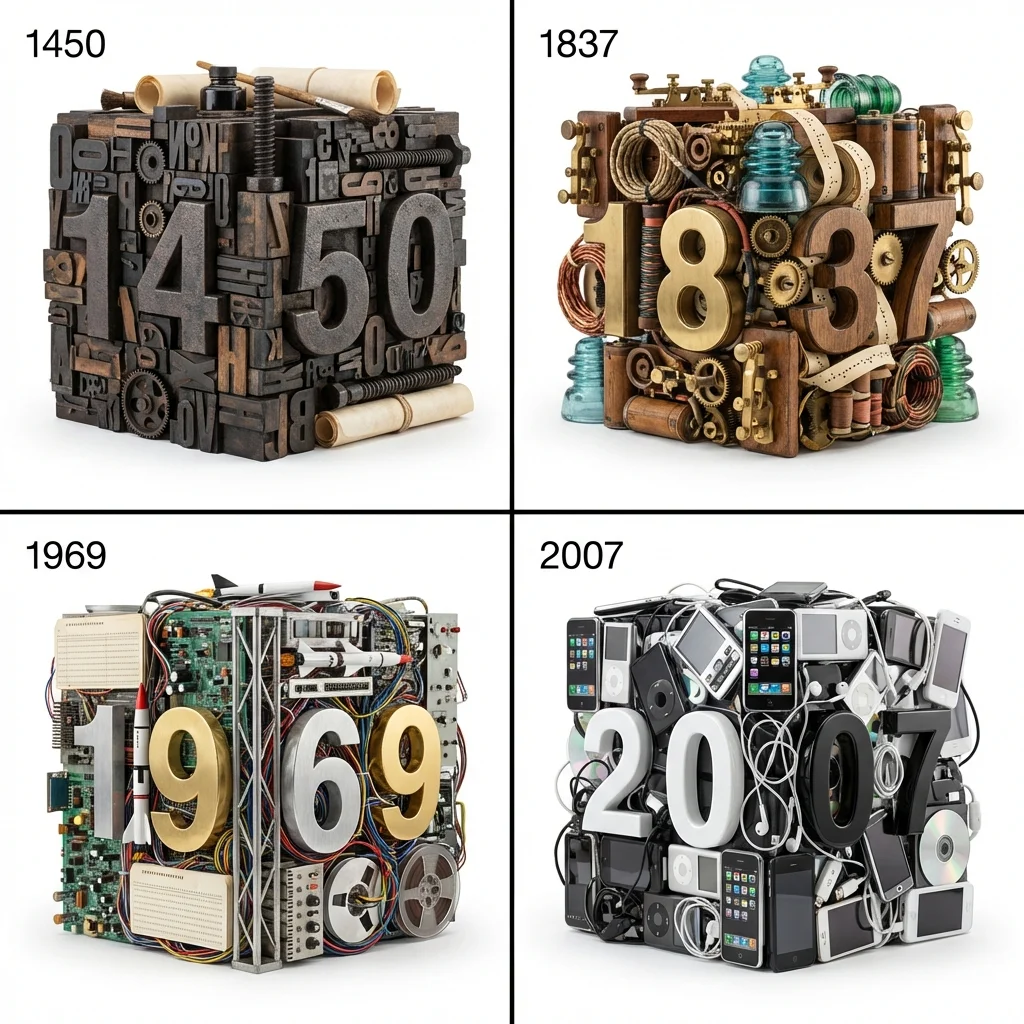
Era Cubes: A 2x2 Grid of Historical Invention Milestones in Hyper-Realistic Detail
Four distinct years visualized as dense cubes of era-specific relics, each with embedded 3D year numbers matching their dominant material, set against stark white backgrounds for precise texture focus.
Prompt
<instruction>
  1.   Chronological Cube :
Input A is a Historical Timeline, Century, or Sequence of Eras (e.g., The 20th Century, History of Flight, Evolution of Computing).
Select   4 Distinct Years/Eras   from the timeline. For each, generate a   "Time Capsule" Profile  :
     The Milestone (The Year):  The specific, pivotal four-digit year (e.g., 1440, 1776, 1969, 2001).
     The Relics (The Clutter):  4-5 physical objects or materials that define that specific moment in history.
         (e.g., 1440 -> Printing press type blocks, parchment, gears, ink. 1776 -> Musket balls, tricorn hats, powder horns, brass lanterns. 1969 -> Gold foil, space suits, metal strut framing, control panels. 2001 -> Beige plastic CRT monitors, old cell phones, CDs, tangled black cables).
     The Texture (The Base):  The dominant material of the era.
         (e.g., Cast Iron, Leather/Brass, Aluminum/Mylar, Beige ABS Plastic).

  2.  Container (The 2x2 Vault):
Goal: "Historical Typography" Still Life Photography.
     The Format:  A strict   2x2 Grid   separated by thin black lines.
     The Background:  Every quadrant features a seamless, shadowless   Pure White Studio Background  .
     The Typography:  In the top-left corner of  each  quadrant, print the corresponding "Year" (Step 1) in simple, clean, black sans-serif text.

  3. The Dioramas (The Year Cubes):
     The Geometry:  The central object in each quadrant is a massive, freestanding   Cube or Block   made entirely of the "Relics" (Step 1).
         Constraint:  The objects must be densely packed together (knolled or crammed) to form a rough cubic shape; they are not just a loose pile.
     The Title Integration:  The four digits of the "Year" are rendered as massive, 3D physical numbers embedded  into the front face  of the cube.
     The Typography Texture:  The numbers must be made of the "Texture" identified in Step 1 (e.g., Cast iron for 1440, Beige plastic for 2001) and look like they are a structural part of the pile.

  4.  Syntax (The Materiality):
     Scale:  The objects within the cube are not necessarily 1:1 scale with each other, but they must all look hyper-realistic.
     Contrast:  The dense, colorful, chaotic texture of the cube must contrast sharply against the stark white background.

  5. Lighting & Atmosphere:
     Lighting:    Softbox Commercial Product Lighting.   Bright, even illumination from the front and top to highlight the micro-details and textures of every object in the pile. Soft, grounding contact shadows below the cubes.
     Vibe:  "Museum Curio" or "I Spy Book" aesthetic.

  Output:   ONE image, 1:1 Aspect Ratio, 2x2 Grid, 3D Render/Product Photography, "Assembled Art" aesthetic, High Texture Fidelity.
</instruction>
Published: March 26, 2026 by @Gdgtify